
How to Integrate with Travel Redirect APIs
A guide to help you best integrate with our Travel Redirect APIs
Through Travel Redirect APIs travelers will be able to discover and search for millions of flights and stays on your platform before being redirected to book their trip on our leading brand, Expedia.
How It Works:
To help you better integrate with our API you can enable the different aspects of this use case through the following integration approach:
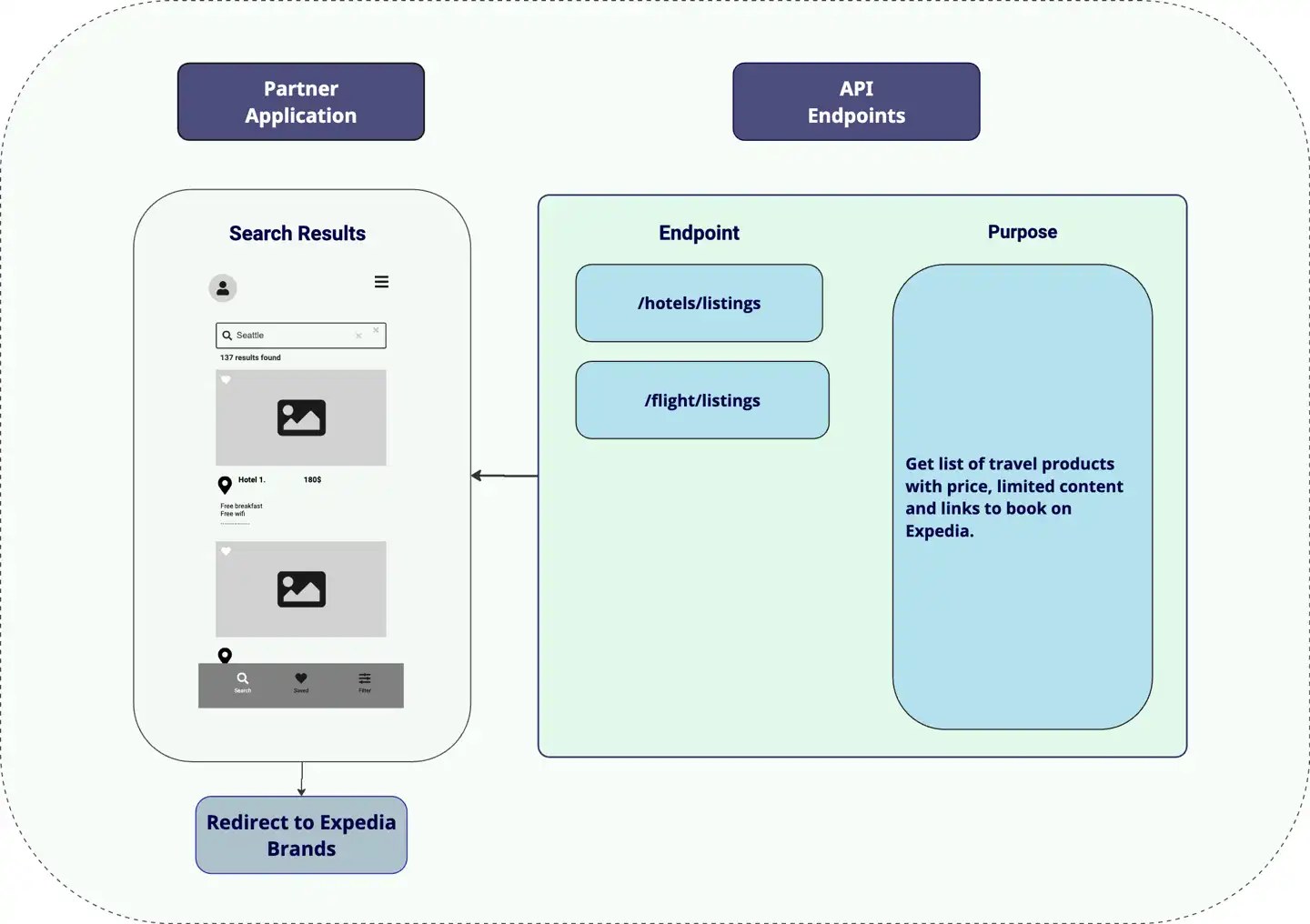
Step 1: Enable Inventory Search
Search for our Lodging and Flights APIs are enabled differently. Please check the below detailed use case examples for both Lodging and Flights.
| Type of Travel Inventory | Path | Use cases examples |
|---|---|---|
| Lodging | /hotels/listings | Lodging Listings Use Case Examples |
| Flights | /flights/listings | Flight Listings Use Case Examples |
Step 2: Display Inventory Search for Travelers
- Partners display these results from step 1 using either real-time or cached data. This allows travelers to explore Hotels and Flight offers with prices and simplified information (e.g., free breakfast or non-stop).
Step 3: Redirect the customer to Expedia for booking
- When a traveler clicks an offer on a partner site, the partner redirects the user to Expedia brand via the deeplink included in our response as below:
{
    ...
    "Links": {
        "WebSearchResult":  {
            "Method": "GET",
            "Href": "https://www.expedia.com/go/hotel/search/pinned/9231567/0/0?tpid=1&chid=93d8150c-3c71-4209-a90d-bddf547a3c01&eapid=143529&mctc=5&currency=USD&langid=1033"
        }
    }
    ...
}