
 AI-assisted coding with our MCP server
To facilitate API implementations, we're introducing our Dev MCP server so that you can connect your coding clients and AI assistants to Expedia's developer resources. The Model Context Protocol (MCP) is an open standard that enables AI assistants to securely connect to and interact with external data sources and tools. Our implementation, the Dev MCP server, provides a real-time connection to our documentation, GraphQL schemas, code examples, and more.
How it works:
- After configuring Dev MCP server in your client, ask your AI assistant a question about our API, ask for help with a Lodging Supply GQL API development task, or ask it to create code.
- Your AI assistant uses the Dev MCP server to search the GraphQL documentation and introspect the API schema based on your prompt.
- Using the MCP server responses, your AI assistant provides accurate code examples, solutions, and guidance that follow our current APIs and best practices.
Note: If you are a dual partner (if you onboarded properties onto Expedia and Expedia), you must obtain two tokens from your Technical Account Manager: one for Expedia and one for Vrbo. When connecting to Dev MCP server with your Expedia token, information about the Expedia APIs is returned, and when connecting with your Vrbo token, information about the Vrbo APIs is returned. (There are slight differences across the capabilities.)
Benefits
Dev MCP server is Expedia’s AI-powered developer tool that brings our GraphQL APIs and developer documentation directly into your IDEs. This reduces time and effort to discover, build, and maintain integrations, and it unlocks faster API adoption, higher integration quality, and a more autonomous, self-service experience for you. Using natural language, developers can generate integration-ready code, test cases, documentation, and other development artifacts tailored to your specific architecture and workflows.
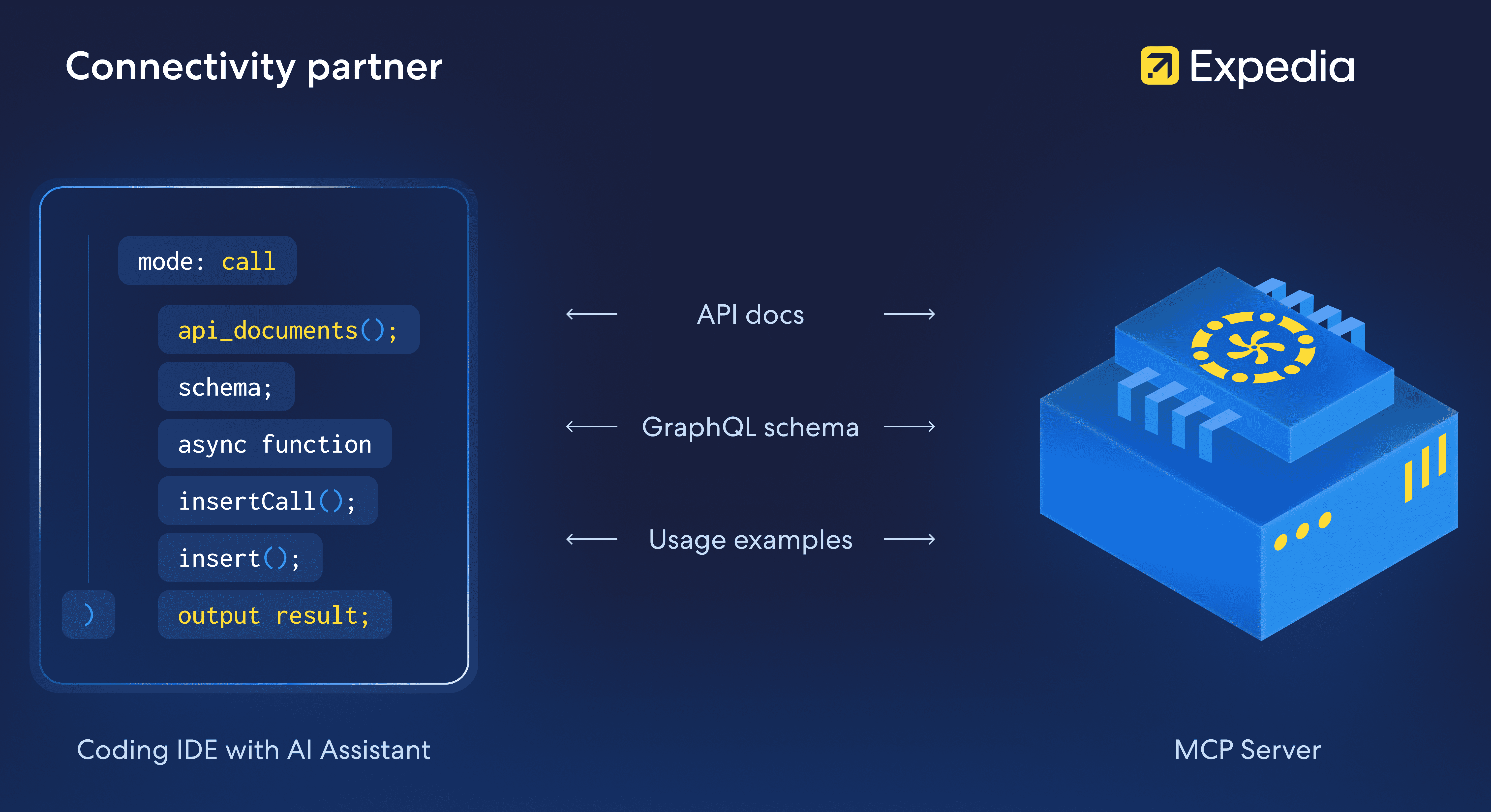
Dev MCP server offers tangible benefits for connectivity partners by combining our API expertise with your internal development context. Here’s what you can expect:
Discover and build faster with AI-powered guidance
Less discovery and trial-and-error time. Dev MCP server surfaces the right APIs, operations, patterns, and more in one place.
Accelerated roadmaps. Dev MCP server brings our GraphQL API knowledge directly into your IDE, so your AI assistant can instantly answer, “How do I implement ABC or XYZ?”
Efficient coding. With context-aware, spec-aligned code generation, you can move from decision to implementation-ready code faster, reducing the effort between discovery and your implementation steps.
Deliver higher-quality integrations
Reduced code rework. Dev MCP server helps to ground your AI-generated code in our schemas and best practices. Better code also means fewer errors and back-and-forth calls with our support teams and more time for your developers to spend on your own roadmap.
Up-to-date parity. When APIs evolve, Dev MCP server helps you understand what’s changed and how to update your code before issues surface and escalate to problems for property managers and travelers.
Stay in sync with us as we grow
Always-on, real-time API context. Dev MCP server is continuously updated with our latest capabilities and documentation, so your AI assistants stay as relevant as possible.
Parallel evolution. As we enhance our capabilities, Dev MCP server helps you adopt them fast, keeping you and your customers at the forefront of our API and AI technology.
Use cases
Dev MCP server supports API discovery and code generation. The following sections provide details and example prompts.
API discovery
Use our MCP server to understand our API capabilities if you need to onboard a new capability or update code that implements an existing capability. You can
- Get a clear explanation of a capability’s purpose, supported features, and business context
- Identify required operations for adoption, including the list of required API calls, dependencies, and implementation flow tailored to your system
- Retrieve API specifications including schemas, field-level documentation, constraints, and example payloads
- Analyze new features and the change impact to identify impacted APIs and guidance on compatibility or migration work
Example prompts:
- Which types of promotions are supported by the promotions capability?
- What are the steps to implement this API?
- What operations are required for this API to work?
- What are specifications of the property query?
- Can you provide an example call for the property query?
- What work is required to conform to the latest reservations query spec?
Context-aware code generation
Using your AI assistant, you can write code that conforms to our API specifications. You can
- Generate integration-ready code that is aligned with your architecture and coding standards and our API specs
- Create integration test cases based on your implementation and our API specs
- Write developer documentation that include code samples, API references, and flow diagrams
Example prompts:
- Provide an implementation of the cancelReservation mutation using our CancelReservationService class.
- Create test cases for the cancelReservation mutation
- Generate documentation for our Expedia reservation management integration
Configuring your AI assistant
If you're interested in adding our MCP server to your AI coding assistant, contact your Technical Account Manager. Make sure your AI assistant supports MCP servers. Then, follow these steps in conjunction with your AI assistant's documentation.
Request your basic authorization token from your Technical Account Manager (TAM).
Add the Dev MCP server to your AI coding assistant's MCP configuration (typically by editing the
mcp.jsonfile). This tells your AI assistant how to connect to and use the Dev MCP server so that you can automatically access our documentation and schemas when you ask questions. Refer to your AI assistant's documentation for details. You will be setting these values:- Transport: HTTP
- MCP server URL:
https://connectivityportal.expediagroup.com/v1/mcp - Basic authorization token: Provided by your TAM and passed in as an HTTP authorization header
Examples:
- GitHub Copilot in VS Code
- Claude Code
- Cursor IDE
Add the MCP server to a workspace or your user configuration. Refer to this page for instructions. Here is the code to add to the
mcp.jsonfile:{
"servers": {
"expedia": {
"url": "https://connectivityportal.expediagroup.com/v1/mcp",
"headers": {
"Authorization": "Basic {token}"
}
}
}
}Add agent (custom) instructions to use the Dev MCP server. Again, refer to your AI assistant's documentation for details. Specify these instructions:
## Expedia
If a user asks about "Expedia" or "@expedia" always use the Expedia MCP tools.
Always prefer MCP tools for Expedia-related queries.
That's it! You can begin using the AI assistant to answer questions about the Lodging Supply GraphQL API.
Best practices
If you are new to prompting AI assistants, here are a couple resources that offer general advice:
- The ultimate guide to writing effective AI prompts
- Effective Prompts for AI: The Essentials
- Writing effective AI prompts
Follow these best practices and recommendations when using our Dev MCP server:
| Do | Don't | |
|---|---|---|
| Setup | Configure the MCP server's URL and authorization token in your IDE as documented above. | Use your IDE's assistant without the Expedia Dev MCP server. |
| Prompts | Include “Expedia” or “@expedia” and the capability name (messaging, product management, and so on) in your prompts. Example: | Ask vague questions like “write a property API call” with no Expedia context. Example: |
| Discovery | Ask MCP to explain the capability's purpose and required operations, and ask it to show examples first. Example: | Go straight to “generate code” without understanding requirements, requests, enums, or constraints. Examples: |
| Code generation | Specify the language, framework, and desired pattern (service, repository, tests) you want to see. Example:
This will run in a backend service called Output format:
| Accept generic snippets that don’t match your architecture or error handling conventions. Example: |
| Schema | Use MCP server’s schema and reference information for exact enumeration names, date formats, rules, and so on. | Hardcode estimated field names or date formats; ignore Expedia’s date and time formatting guidance. |
| Error handling | Ask the assistant to incorporate GraphQL error codes (BAD_USER_INPUT, VALIDATION_FAILED, etc.) into your client logic. See the code generation example above for an example. | Ignore the error codes and only look at HTTP response codes. |
Disclaimer and terms of use
Notice. Access to the Model Context Protocol (MCP) server is provided for trial purposes only and may be terminated without notice, subject to your existing Connectivity API License Agreement. For purposes of MCP server access, "API" as defined in your Connectivity API License Agreement is expanded to include all technical interfaces, documentation, and tools that enable access to Expedia Group's travel systems and data provided by the MCP server. You acknowledge that the MCP server operates using Expedia Group’s proprietary data and documentation, and you waive any claims against Expedia Group or other third-party MCP server users based on identical, similar, or substantially similar outputs, as such outputs are derived from Expedia's underlying data sources.
Feedback. You may voluntarily provide Expedia Group suggestions, comments, or feedback concerning the MCP server or other services provided by Expedia Group (collectively, "Suggestions"). To the extent you provide Suggestions, you hereby grant Expedia Group the right to use such Suggestions to maintain, improve, and enhance Expedia Group's products and services. For avoidance of confusion, you retain sole right and interest in Suggestions and may use Suggestions, at your discretion, that does not disclose Expedia Group's confidential information.
"Expedia Suggestions" means all specifications, designs or other information supplied by Expedia Group to you, and any modifications thereto, whether made by Expedia Group or by you. Expedia Suggestions includes any additional modifications or alterations based on information originally provided by Expedia Group. Expedia Group is also the owner and retains exclusive right, title, and interest in and to Expedia Suggestions.