Developer Hub
This is an auto-generated translation

EPS 入口網站選項

您可以選擇使用我們的安全入口網站,手動上傳您的客戶關係管理 (CRM) 電子郵件檔案。

Step-by-step 說明

  1. 登入 合作夥伴入口網站 請使用您的 Expedia 客戶經理所提供的登入憑證。
  2. 前往設定,然後電子郵件行銷資料
  3. 請仔細閱讀上傳說明,以確保檔案名稱和結構正確無誤。您也可以從此畫面下載範本。
  4. 點擊上傳檔案。您將會收到一則成功訊息,或一則詳細說明需要修正內容的錯誤訊息。

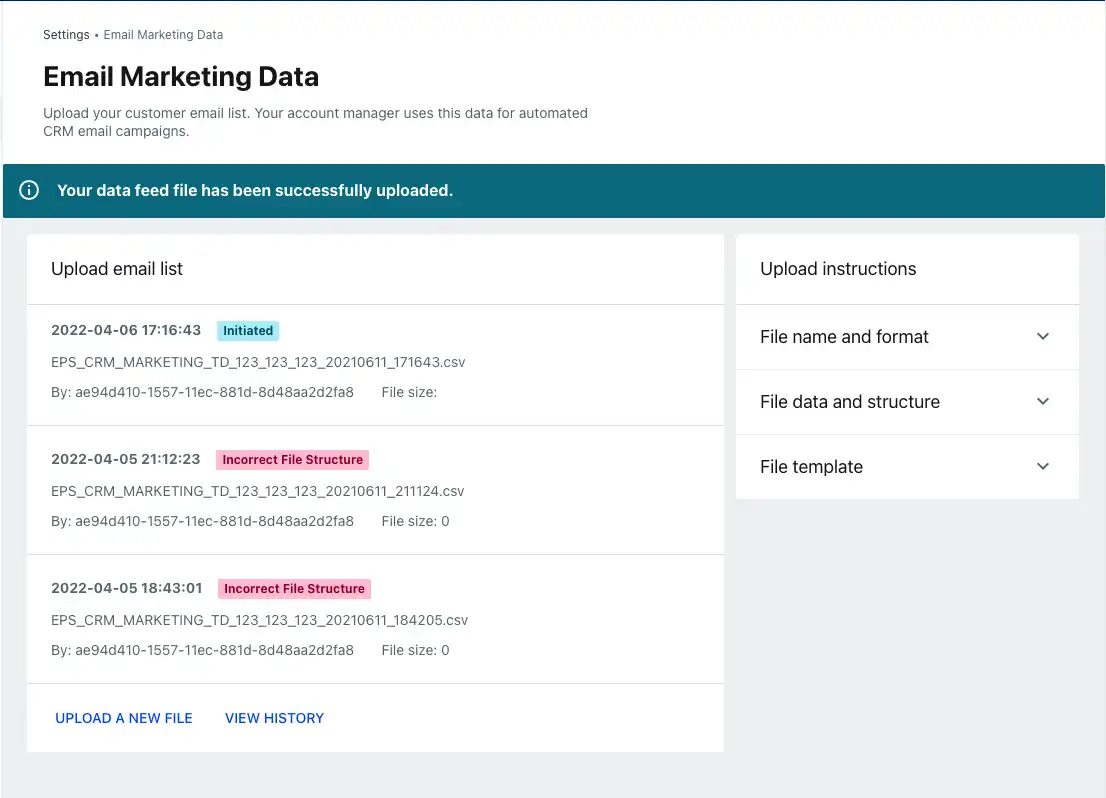
您可從上傳電子郵件清單中查看顯示成功或錯誤狀態的上傳記錄。

電子郵件行銷資料檔案首頁
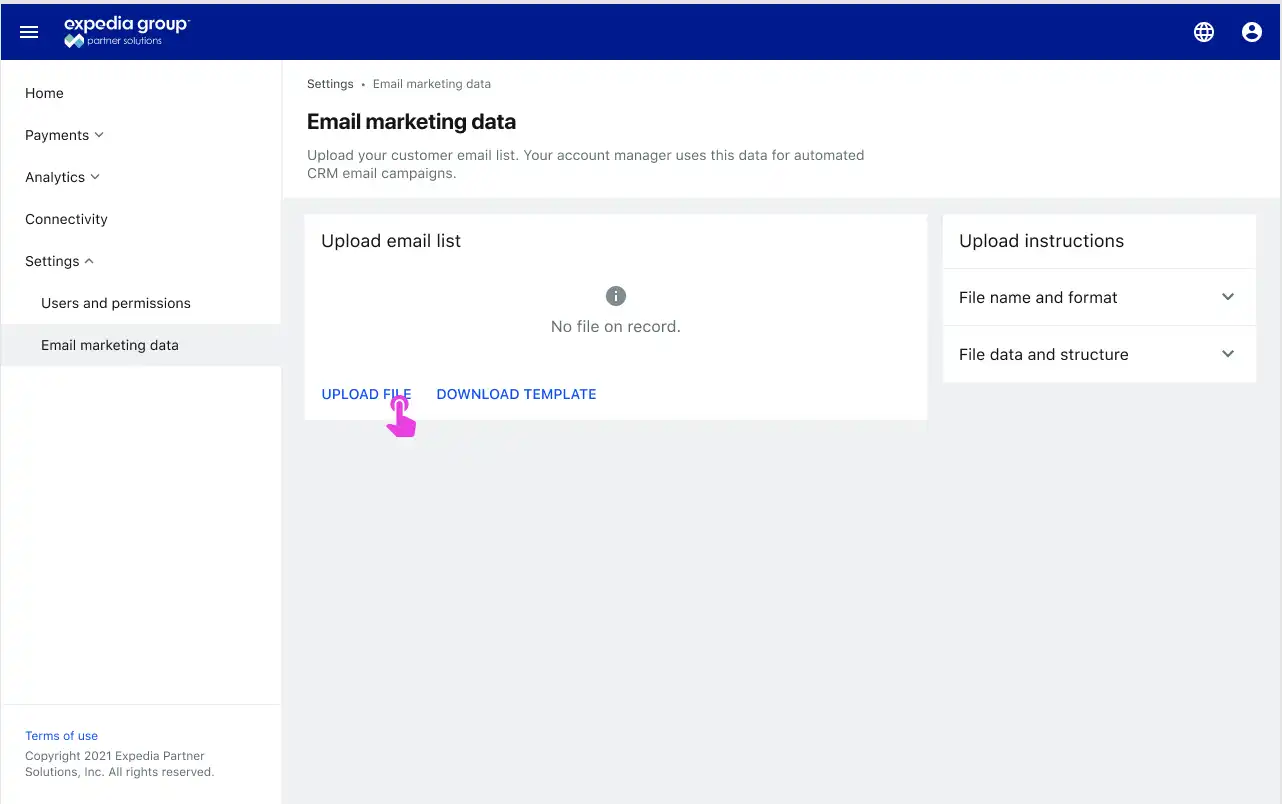
The Partner Portal window with 'upload file' link highlighted

上傳狀態

The Partner Portal status window with three files listed, one with an 'initiated' status and two with 'incorrect file structure' status

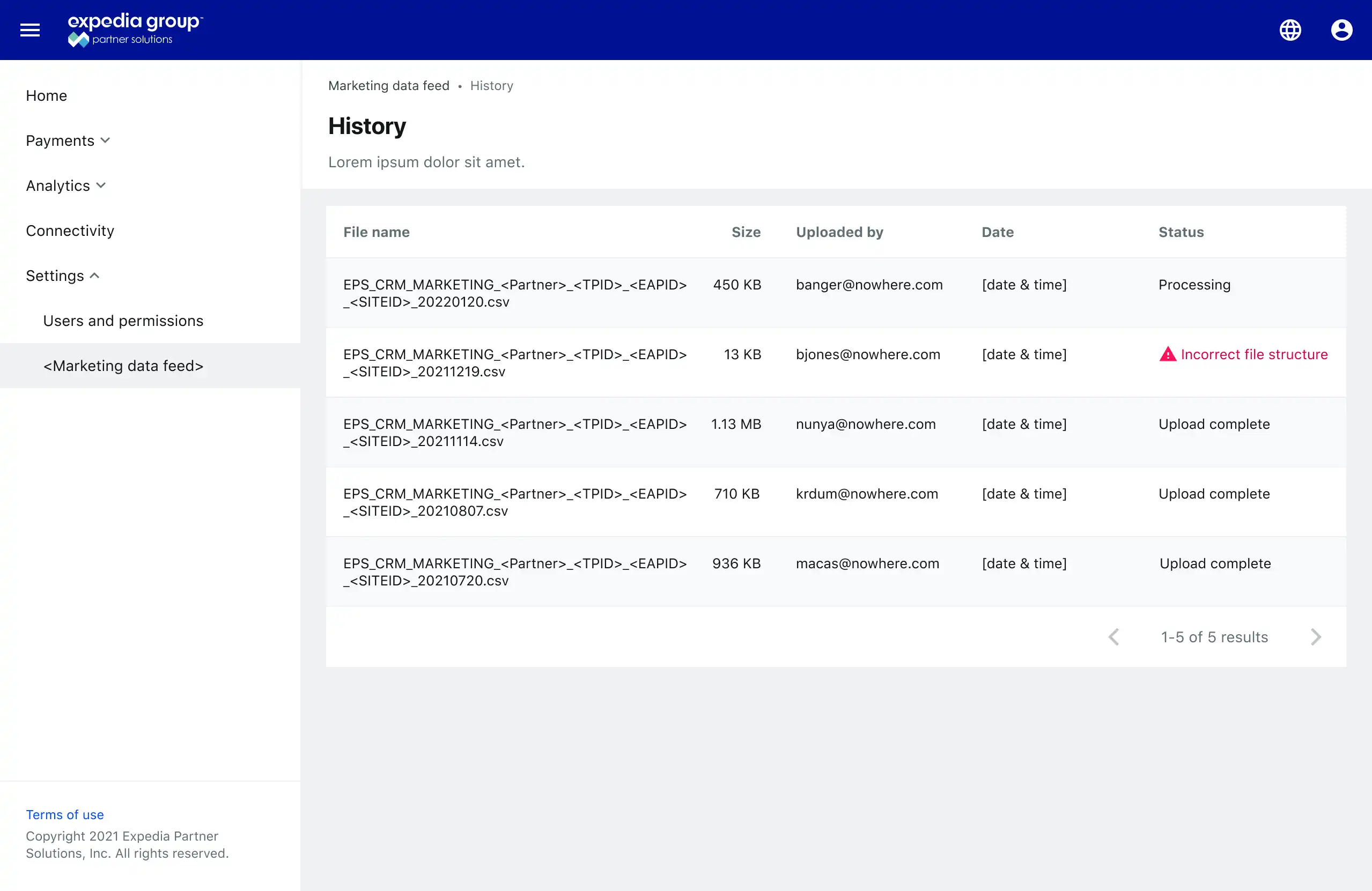
上傳記錄

File history table that shows five columns: file name, size, uploaded by email address, date uploaded, and status
這個頁面有幫助嗎?
我們能如何改善內容?
感謝您協助我們進行改善!