Developer Hub
This is an auto-generated translation

EPS 门户选项

您可以选择使用我们的安全门户手动上传您的客户关系管理 (CRM) 电子邮件文件。

Step-by-step 指令

  1. 登录 合作伙伴门户网站 使用您的 Expedia 账户经理提供的访问凭证。
  2. 前往设置,然后前往电子邮件营销数据
  3. 请仔细阅读上传说明,确保文件名和文件结构正确。您也可以从此屏幕下载模板。
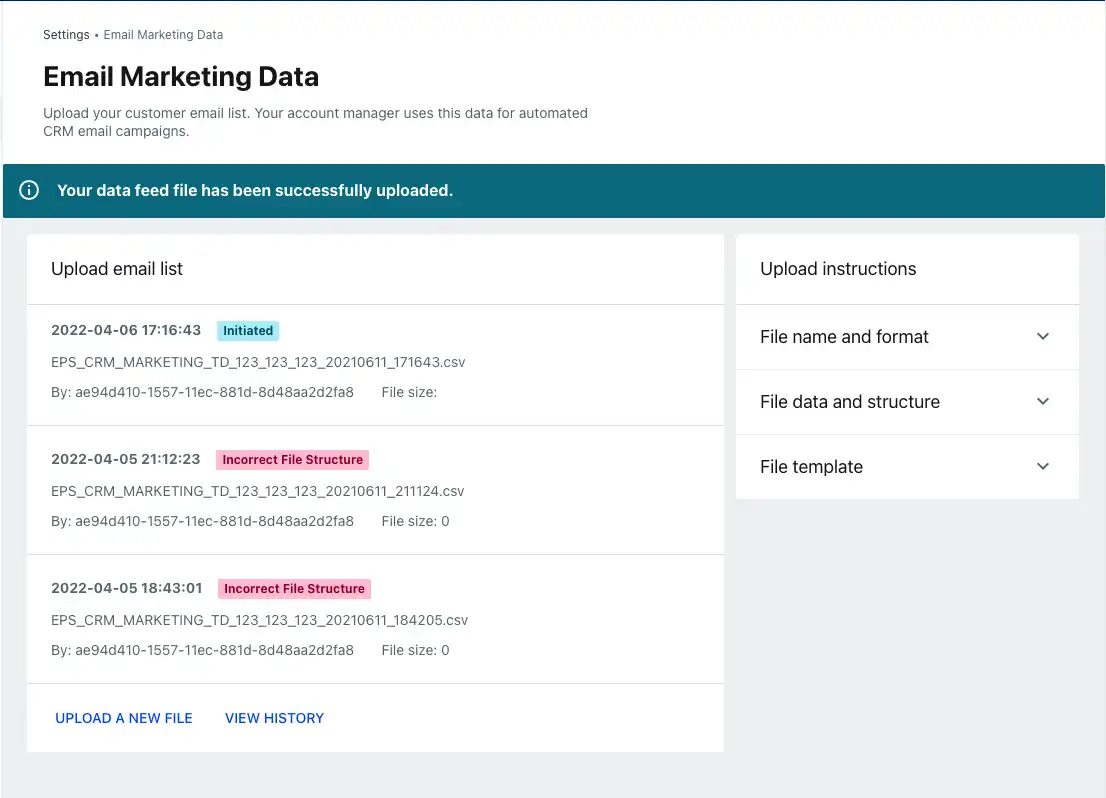
  4. 点击上传文件。您将收到一条成功消息或一条错误消息,其中详细说明了需要纠正的内容。

上传历史记录(显示成功或错误状态)可通过上传邮件列表获取。

电子邮件营销数据文件起始页
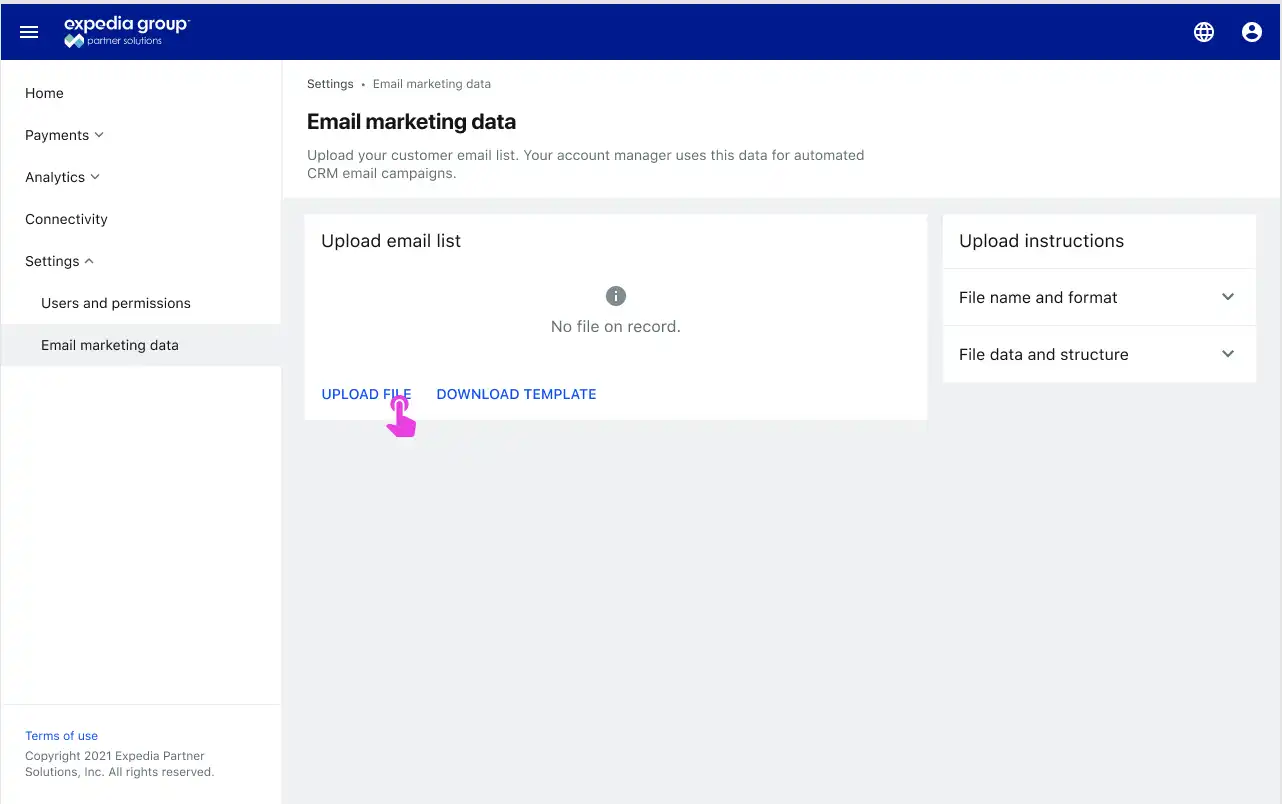
The Partner Portal window with 'upload file' link highlighted

上传状态

The Partner Portal status window with three files listed, one with an 'initiated' status and two with 'incorrect file structure' status

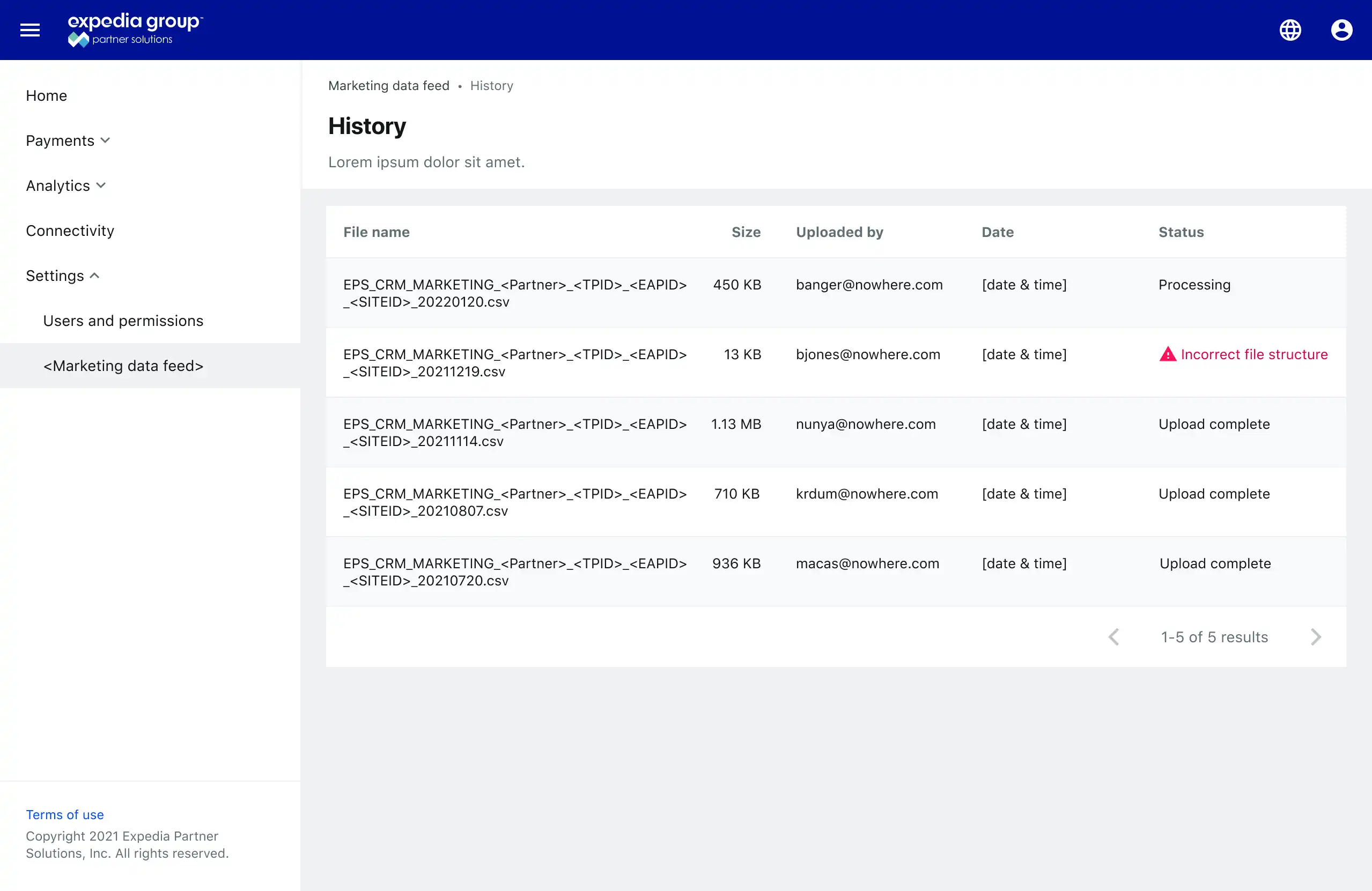
上传历史记录

File history table that shows five columns: file name, size, uploaded by email address, date uploaded, and status
您觉得这个页面有用吗?
我们该如何改进这些内容?
感谢您帮助我们改进!